
A clear slot game screen design lets someone find the rules, identify the full stake, recognize whether a result is settled, check the accounting, and leave before committing to another play. Reel artwork occupies the center, but the information around it explains what an action costs and what happened.
Give each part of the screen a clear job
Separate three kinds of controls. Information controls open rules and help without starting play. Navigation controls let someone leave the game or return to another screen. A commitment control starts play using the displayed stake. Labels, placement, and behavior should make those differences understandable.
Keep balance and stake information together near the top. If denomination is shown, give it a separate field. Denomination means the value assigned to one credit, while total stake means the complete amount committed by one play under the current settings. A small denomination must never stand in for the total at risk.
Place clearly labeled Rules and Help controls next to each other, available before commitment. Keep the primary action prominent and the exit easy to find. Opening information should not start play, and leaving should not imply that an already committed action has been canceled.
An original screen schematic
This unbranded example uses non-monetary units. It shows a settled play with 10 units staked, 4 returned, and a net change of −6. The balance began at 100 units and is now 94.
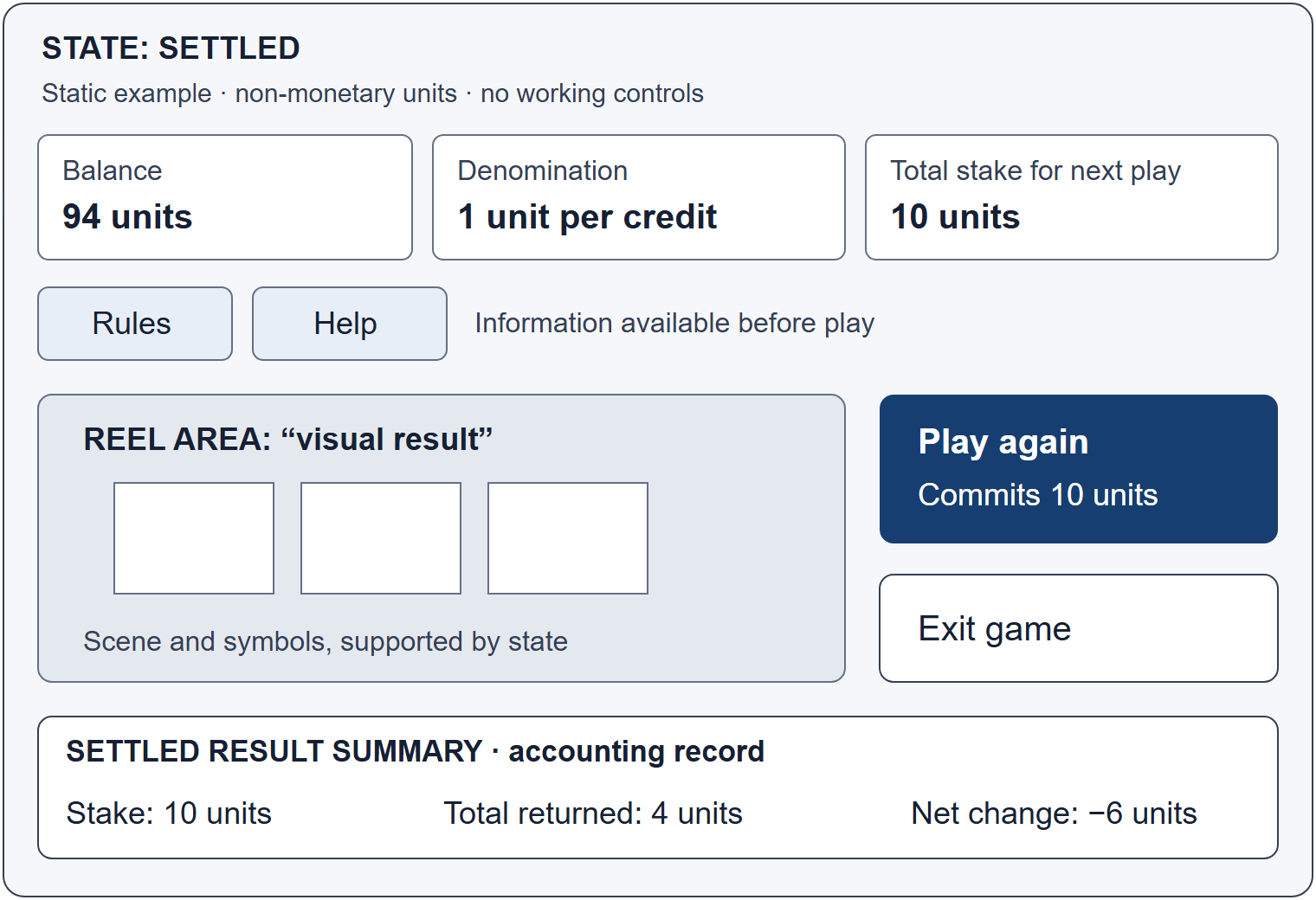
The 4 units returned are the entire return from that play. Against a stake of 10, that leaves a net loss of 6 units. Celebratory artwork must not obscure that accounting. Keep the completed stake in the result summary even if someone changes the stake setting for the next play.
During unresolved play, show an explicit state such as “Result pending.” Do not present an unfinished counter as a settled return. If the previous result remains visible, label it as the previous settled play. Decorative animation conveys no additional result beyond the authoritative state, and color alone should not carry the distinction.
Audit the layout with five questions
This static comparison uses two constructed designs. The “before” column describes deliberate layout failures. The “after” answers refer to the schematic above and its stated pending behavior. These are design checks, with no participant testing claimed.
| Review question | Before: failure example | After: expected answer |
|---|---|---|
| Where would you read the rules? | An unexplained icon hides rules in a menu that appears only after play starts. | Open Rules beside Help before committing any units. |
| What is the total at risk? | A prominent “1” shows denomination, while the complete stake is absent. | The next play commits 10 units. Denomination has its own labeled field. |
| Is the display pending or settled? | Reel artwork and a changing counter appear without a state label. | The state reads “SETTLED.” Unresolved play must instead say “Result pending.” |
| Can you reconcile the accounting? | “Great return!” accompanies a large 4, without the stake or net change. | The record lists 10 staked, 4 returned, and −6 net. Balance moves from 100 to 94. |
| How would you leave before new play? | Exit is hidden in an overflow menu beside the dominant play control. | Choose the visible Exit game control before pressing Play again. |
Review the same questions with help open, stake settings changed, and a result pending. Check that information remains readable and that closing a panel cannot accidentally trigger commitment.
Carry the findings into the wider clarity review
The UK Gambling Commission’s RTS 3 addresses rules available before commitment and relevant game information. Its RTS 7 addresses misleading result displays, including substituted near misses, and clear, accurate results displayed for sufficient time within its stated scope.
These are Great Britain remote-gambling standards within their applicability, used here as external design benchmarks for a US-focused illustration. They are not US legal advice. Screen appearance cannot verify randomness.
Carry these five findings into the casino clarity framework. Follow the path from game entry through rules, commitment, settlement, and account history, checking that each screen preserves the same understandable terms and accounting.